

The trace plots tool in W&B Weave allows you to explore, visualize, and debug trace-level metrics (e.g. latency, cost, tokens) using interactive charts. You can use the default trace plots or create your own via the custom trace plot builder.Documentation Index
Fetch the complete documentation index at: https://wb-21fd5541-john-wbdocs-2044-rename-serverless-products.mintlify.app/llms.txt
Use this file to discover all available pages before exploring further.
Get started
- Navigate to your project’s Traces page.
- (Optional) Select Filter to filter selected traces (e.g. by datetime or operation).
-
In the upper right hand corner of the Traces view, click the Show Metrics icon to open the trace plots side pane.
- View the default trace plots.
- Create a custom trace plots.
- Charts update dynamically based on your trace filters and selections.
Default trace plots
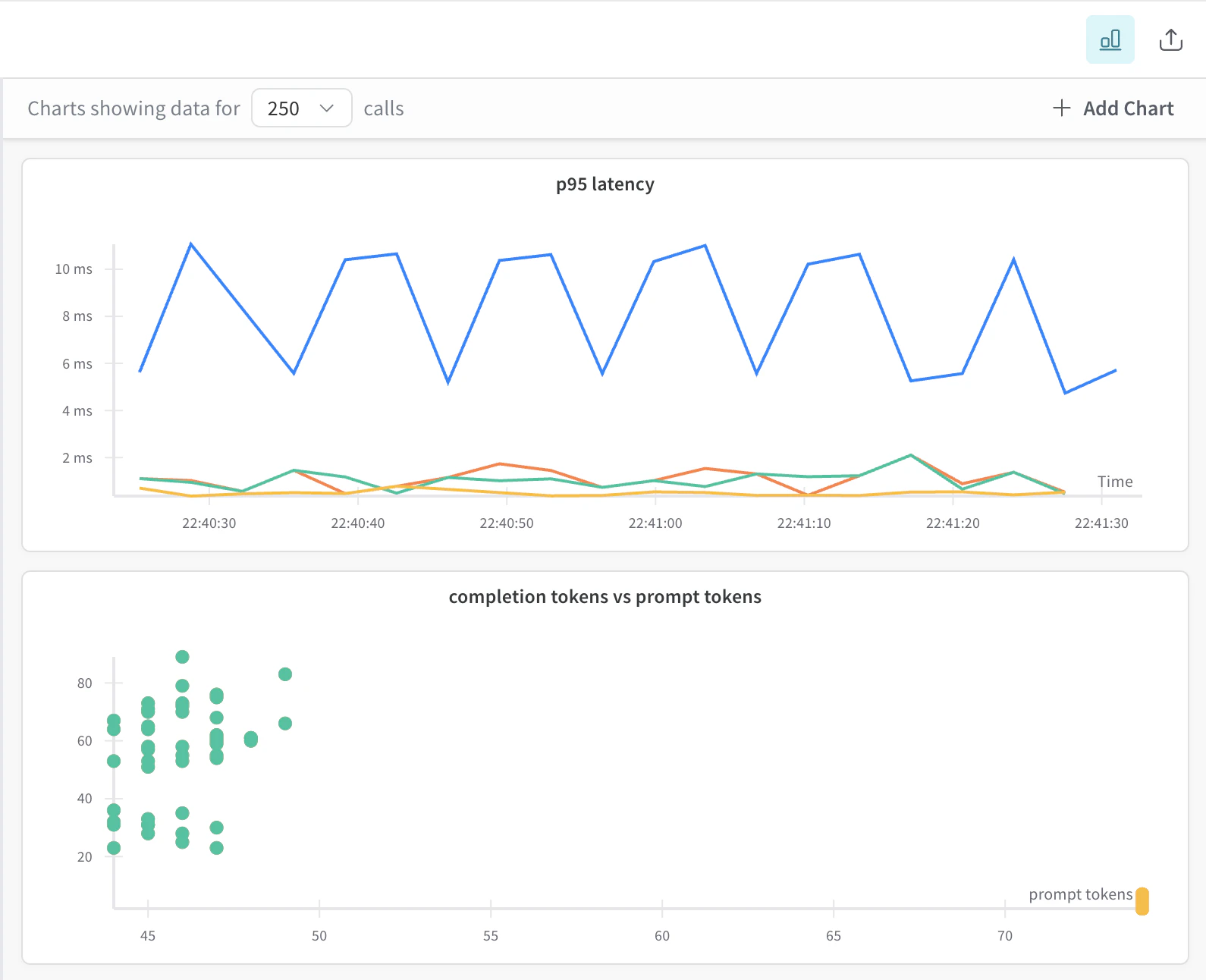
When you first open the trace plots panel, Weave auto-generates a few trace plots based on your available project trace data:- Bar chart (cost or latency grouped over time bins)
- Line chart (latency over time)
- Scatter plot (e.g. prompt tokens vs. completion tokens)
- Hover for tooltips
- Drag to zoom
- Double-click to reset
- Click points in scatter plots to open a specific trace
Create a custom trace plot
You can also create custom trace plot. To create a custom trace plot, do the following:-
From the trace plots side pane, click ➕ Add Chart .
-
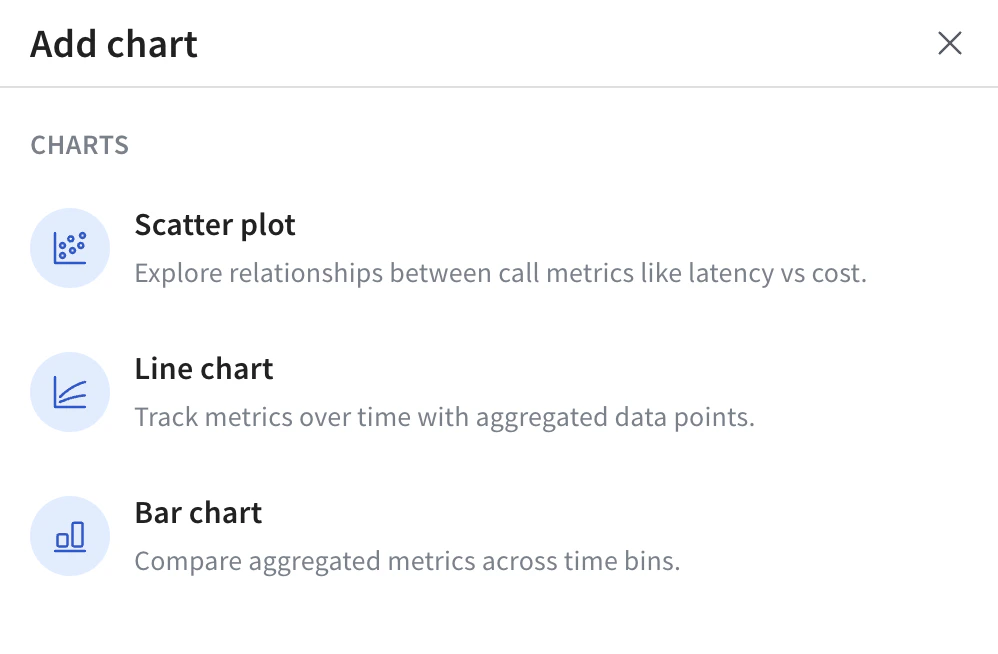
In the pop-up, select one of the available trace plot types:
- For the selected trace plot type, configure your trace plot. For information on configuration options by trace plot type, see Trace plot settings by plot type.
- Click Save chart to save your chart.
Trace plot settings by plot type
When adding or editing a custom trace plot, the available configuration options vary slightly depending on the selected trace plot type. The table provides a breakdown of the configurable options.| Setting | Scatter Plot | Line Chart | Bar Chart |
|---|---|---|---|
| Y-axis | ✅ Required | ✅ Required | ✅ Required |
| X-axis | ✅ Selectable | Fixed (started at) | Fixed (started at) |
| Grouping | ✅ Optional | ✅ Optional | ✅ Optional |
| Binning | ❌ Not used | ✅ Used | ✅ Used |
| Aggregation | ❌ Not used | ✅ Used | ✅ Used |